How to create message filter on Webmail (Roundcube)?

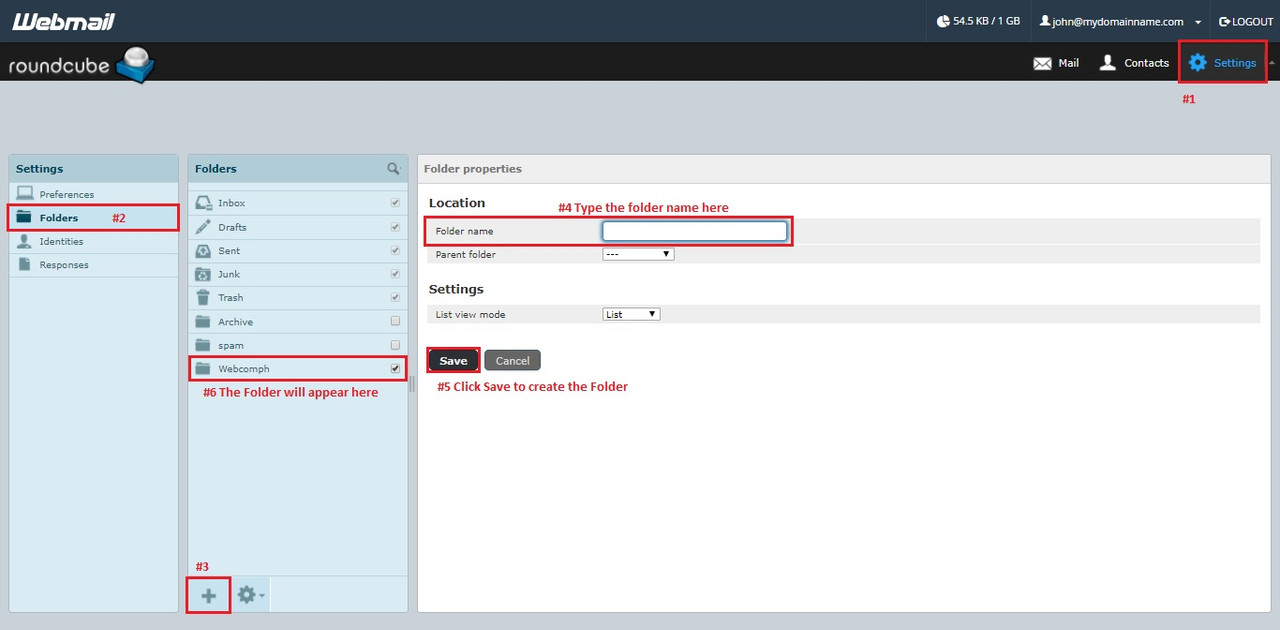
  1. Open your webmail. Click the settings icon then select Folders.
    Click the add folder (+) then input the folder name in the text box and save.
    https://s26.postimg.cc/h6i3ojo09/image.jpg
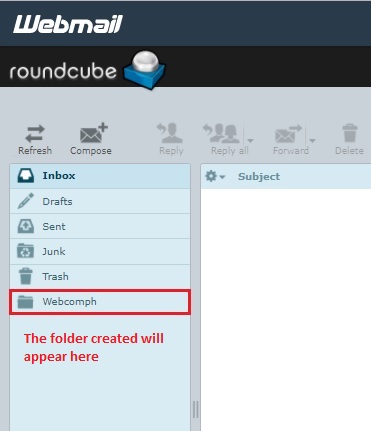
  2. The folder that you created will appear here.
    https://s26.postimg.cc/mk0wpckdl/image.jpg
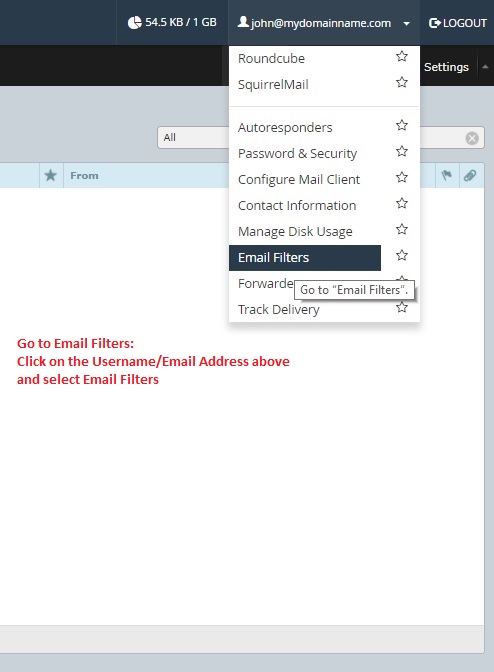
  3. Click on the username/email address and select Email Filters.
    https://s26.postimg.cc/g6btm3n7d/image.jpg 
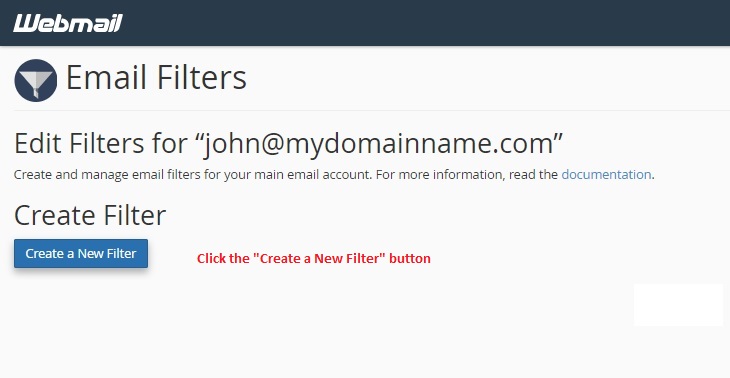
  4. Click the Create a New Filter button.
    https://s26.postimg.cc/44gfrylop/image.jpg
  5. Assign a Filter name then choose a parameter base on how do you want your messages to be filter then click the Create button.

  • 0 أعضاء وجدوا هذه المقالة مفيدة
هل كانت المقالة مفيدة ؟

مقالات مشابهة

How to fix error "0x800CCC78" in Microsoft Outlook?

Here are the procedures to fix error 0x800CCC78 in Microsoft Outlook: In your Microsoft...

How to setup your email account on your Personal Gmail Account (PC browser)?

Login to your Gmail email account, click the gear icon on the upper right and click Settings....

What are Email Accounts?

It is the email address associated with your web hosting account. You are allowed to create 5...

What is Web Mail Access?

Web Mail Access is the ability to check email using your web browser.  

Why I cannot send emails using my SMTP Server?

The reason why you cannot send emails using your own SMTP Server is because your Internet Service...