
- Download and install the application Filezilla, link: https://filezilla-project.org/download.php
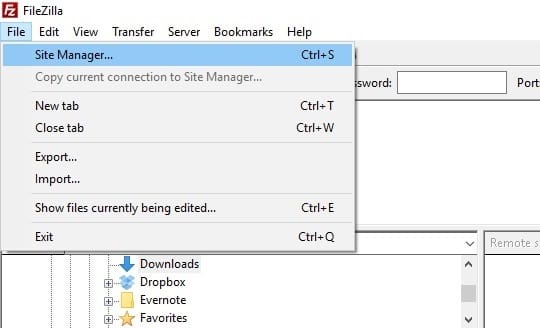
- Open Filezilla and go to 'File' >> 'Site Manager'
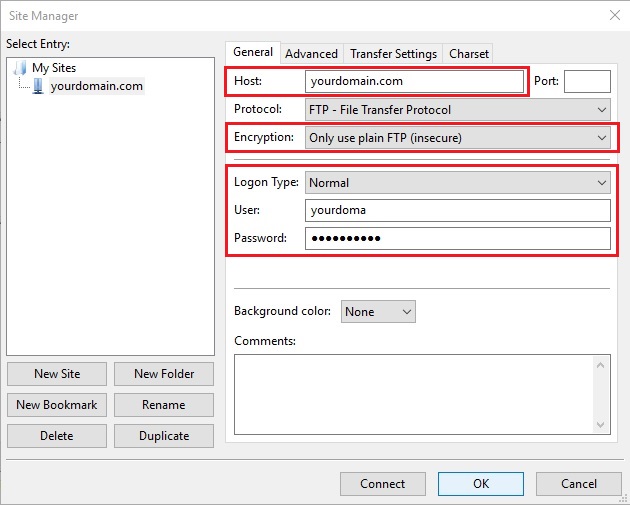
- Click 'New Site' Button to add your FTP Account
Setup the FTP Account and key in the host & account details.
User & Password is the same with your cPanel username & password.
Click 'OK' button to Save
- Click the dropdown box of the Site Manager icon and select the FTP Account, Filezilla will then connect to the FTP/hosting account.
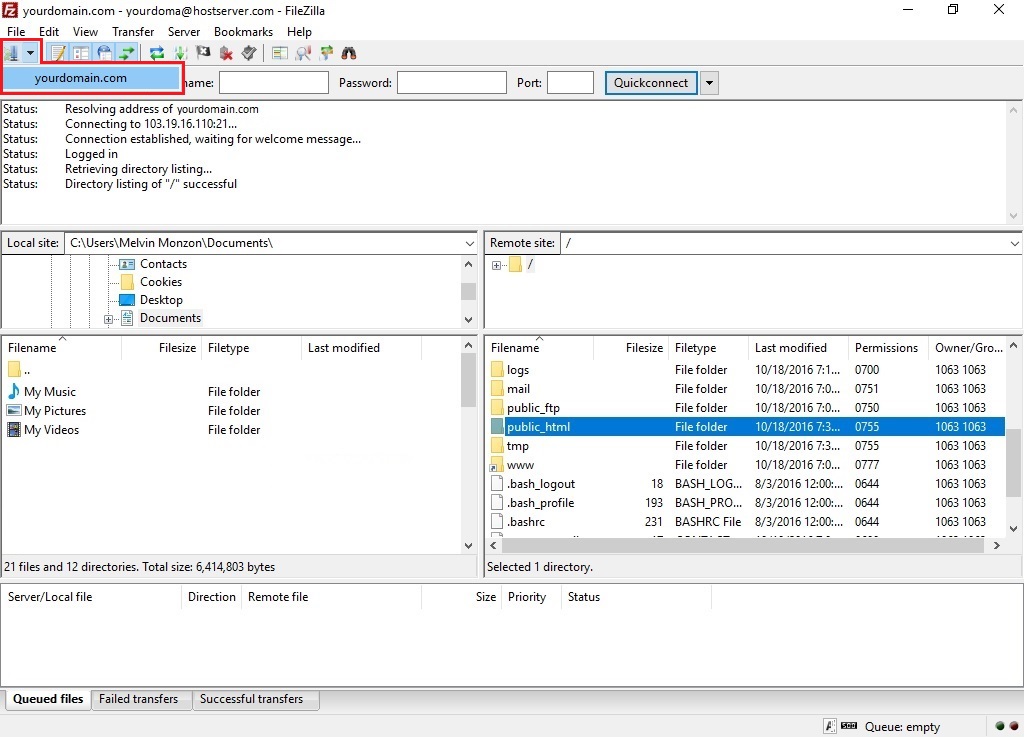
When connected, items on the host server will be populated on the 'Remote Site' panel (right side of the screen).
You can then drag and drop items between the 'Local Site' (your PC) and 'Remote Site' (host server).
Upload your website inside the 'public_html' folder on the Remote Site panel.
- 0 کاربر این را مفید یافتند
